Navigation lab A
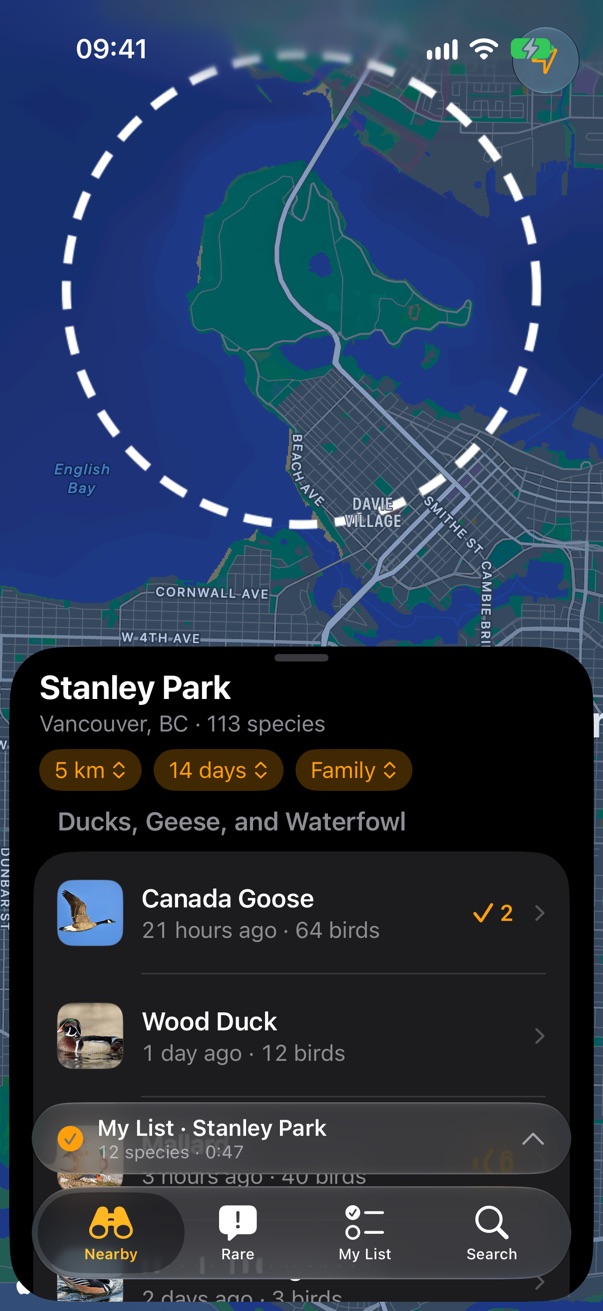
Option A, built in SwiftUI and shot on the simulator: every state of the tab bar and the sheets. Not final.
Option A from the navigation lab, built for real: a SwiftUI prototype using the iOS 26 tab bar
(TabView with Tab(role: .search), tabBarMinimizeBehavior(.onScrollDown) and
tabViewBottomAccessory), standard lists, menus and glass buttons, over a real map. Everything is shot on the iOS 27
simulator unless it says iOS 26. The birds and counts are made up; the chrome is what iOS draws. Tap any picture to see it big.
The minimized tab bar
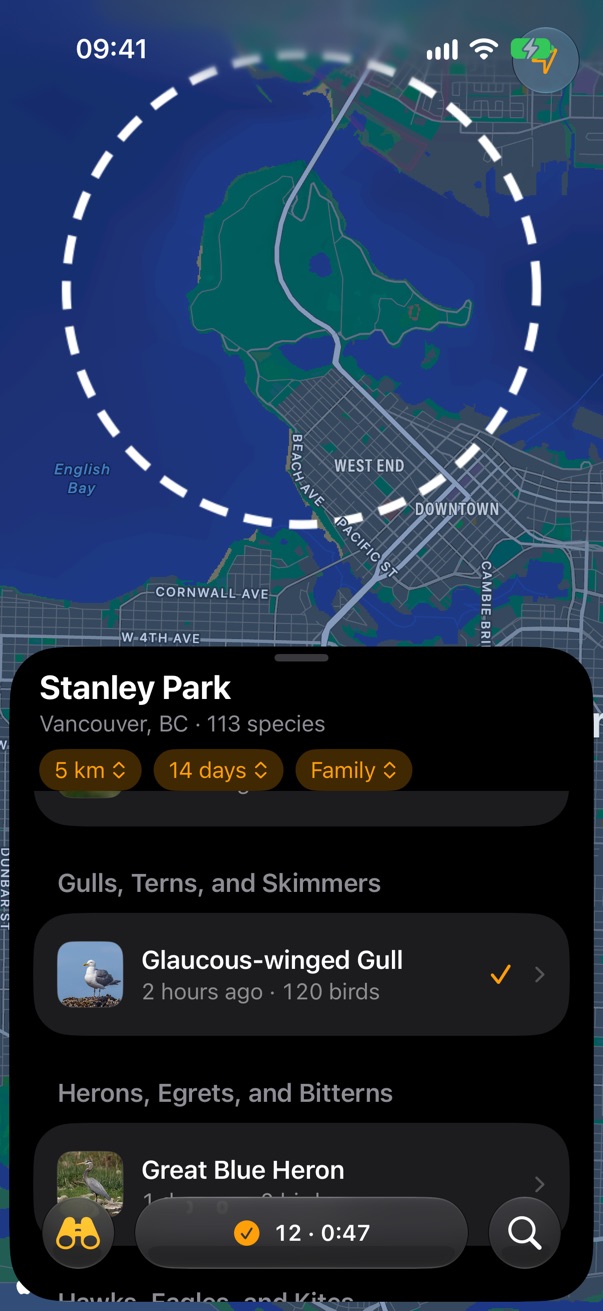
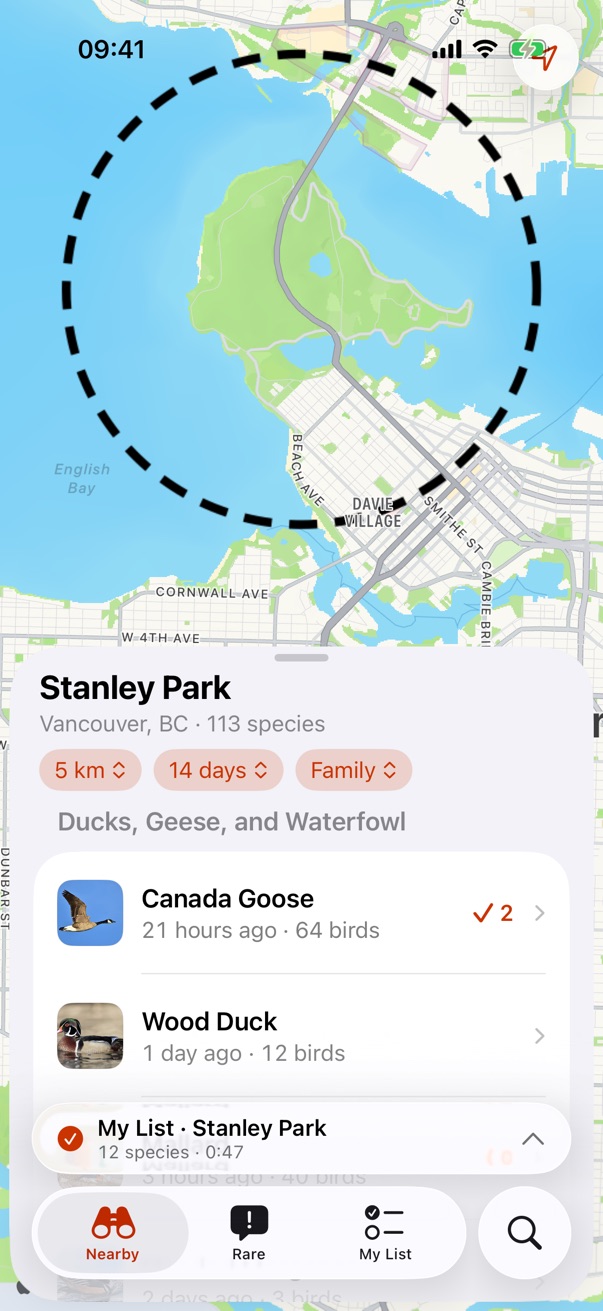
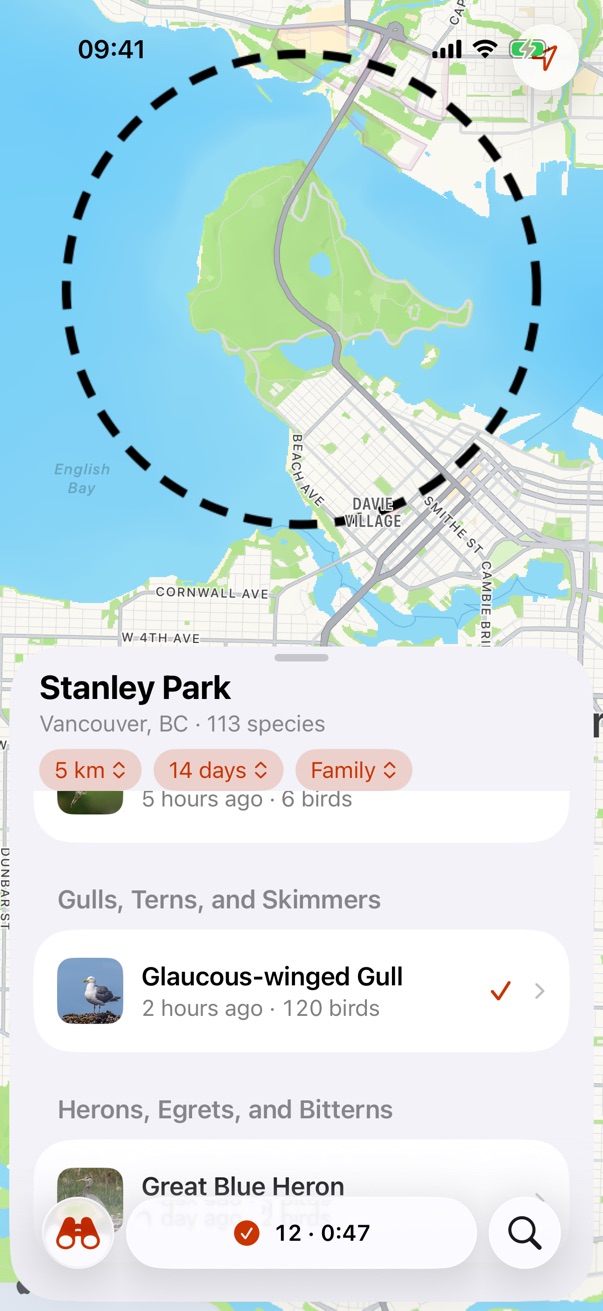
This is the state the fourth frame in the lab was trying to draw. Drag a sheet's list up and iOS shrinks the tab bar to the current tab's icon, here Nearby's binoculars. The bottom accessory, the running list, moves inline beside it, and search becomes its own circle. Tap the icon to bring the full bar back. It only happens under a finger: an app scrolling its own list doesn't trigger it.
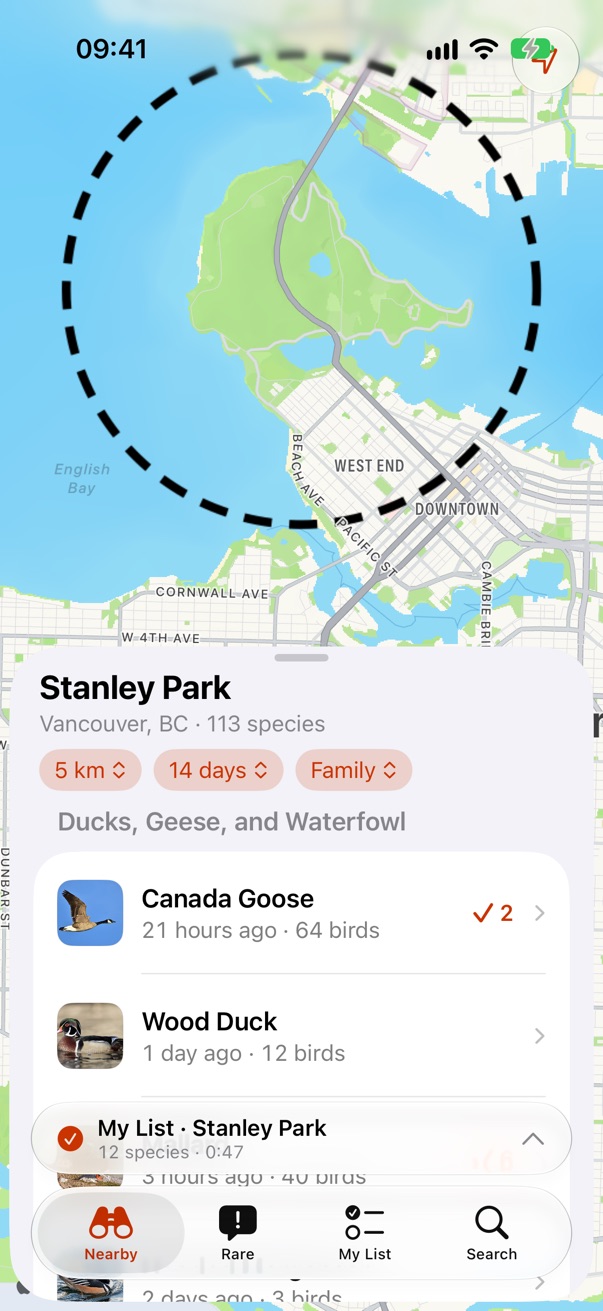
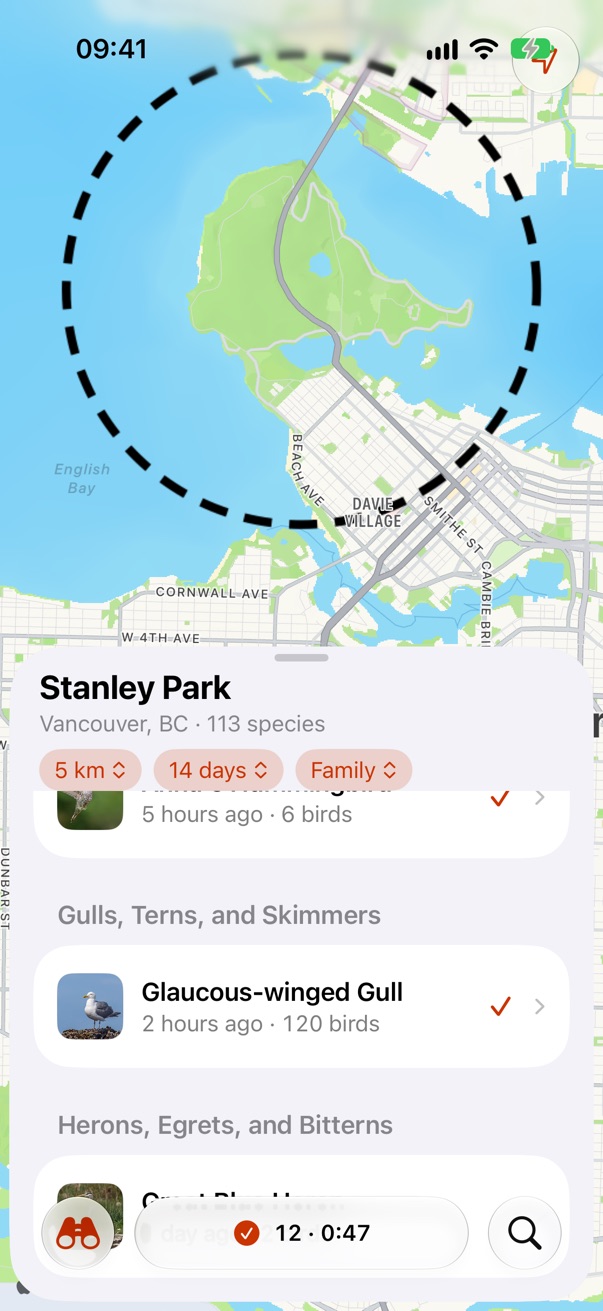
Sheet heights
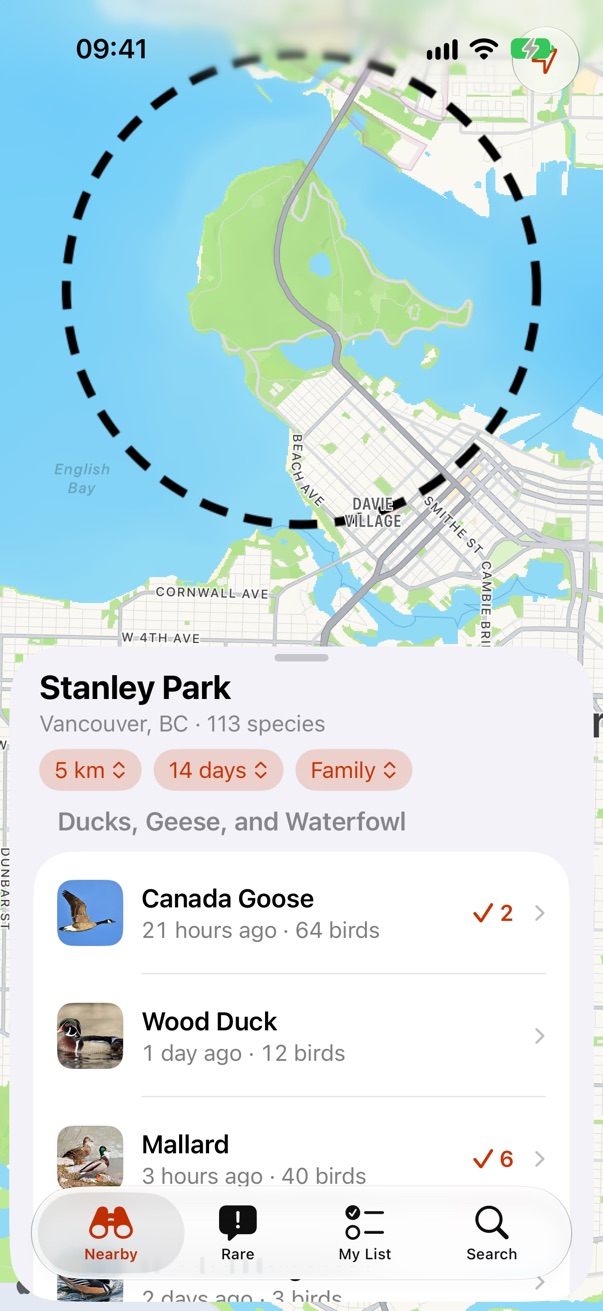
Three heights. The sheet runs to the bottom edge and the glass tab bar floats over it, so it's one surface rather than a sheet sitting on top of a bar. The smallest height is glass, like iOS 26's own sheets; half and full are solid for reading in sun.
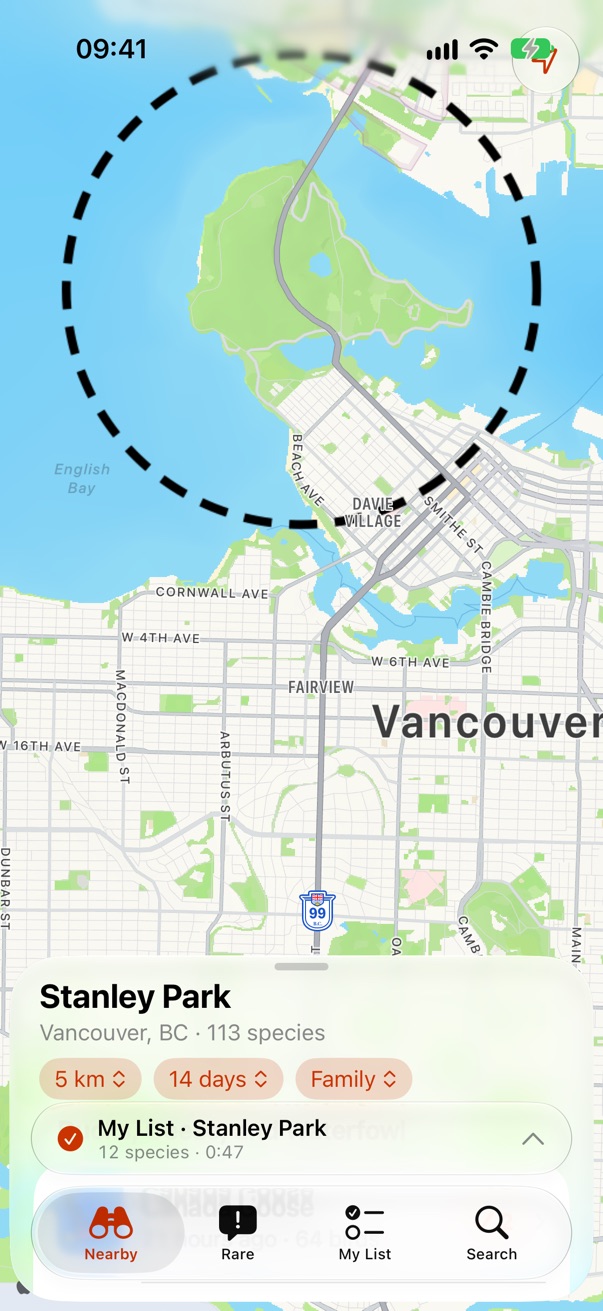
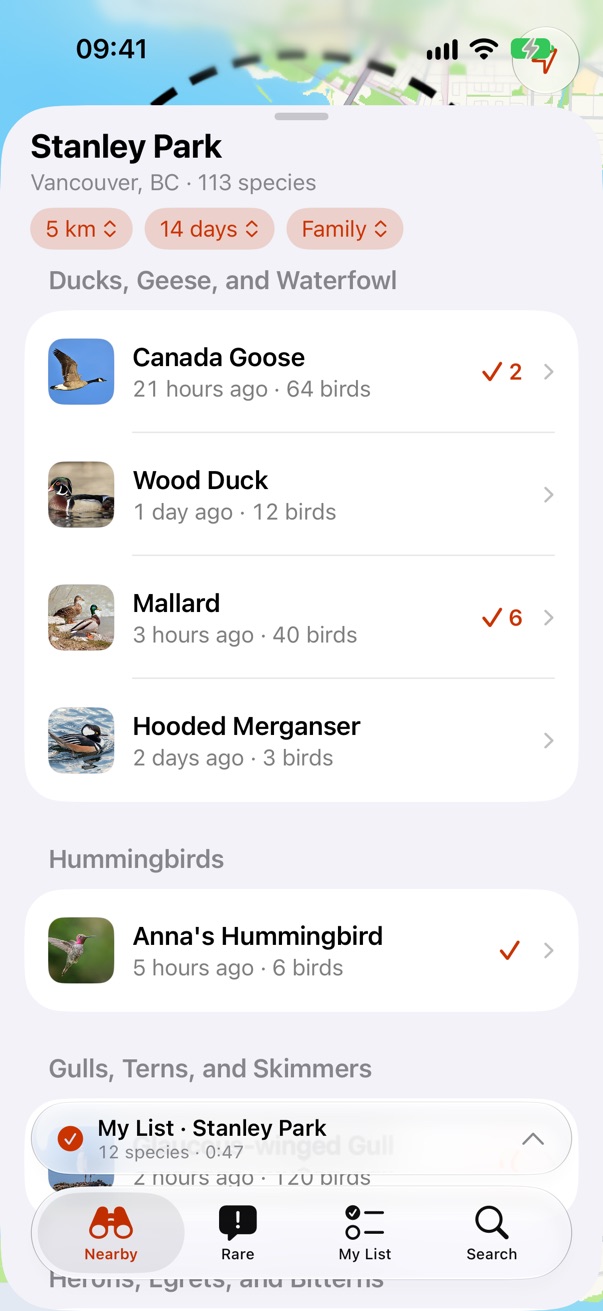
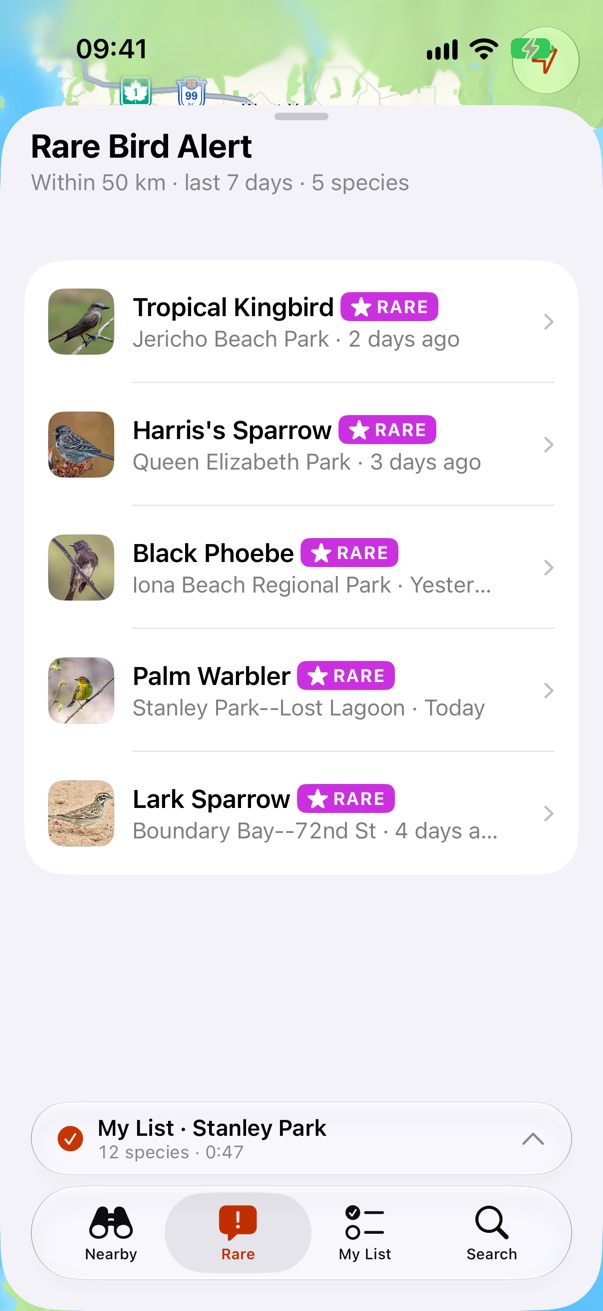
The three modes
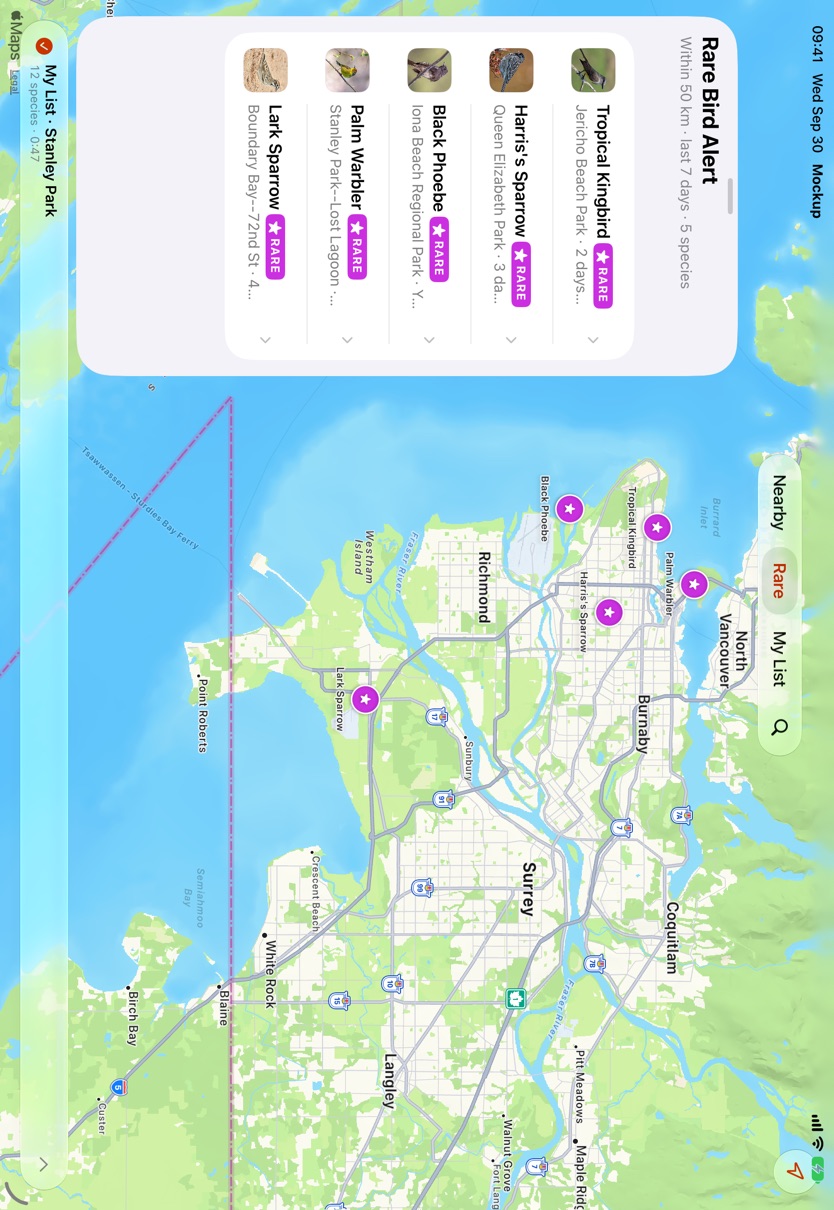
Each tab is a mode with its own sheet over the one map, and the map follows the mode. Mode sheets have no close button: they drag down to the smallest height and stay.
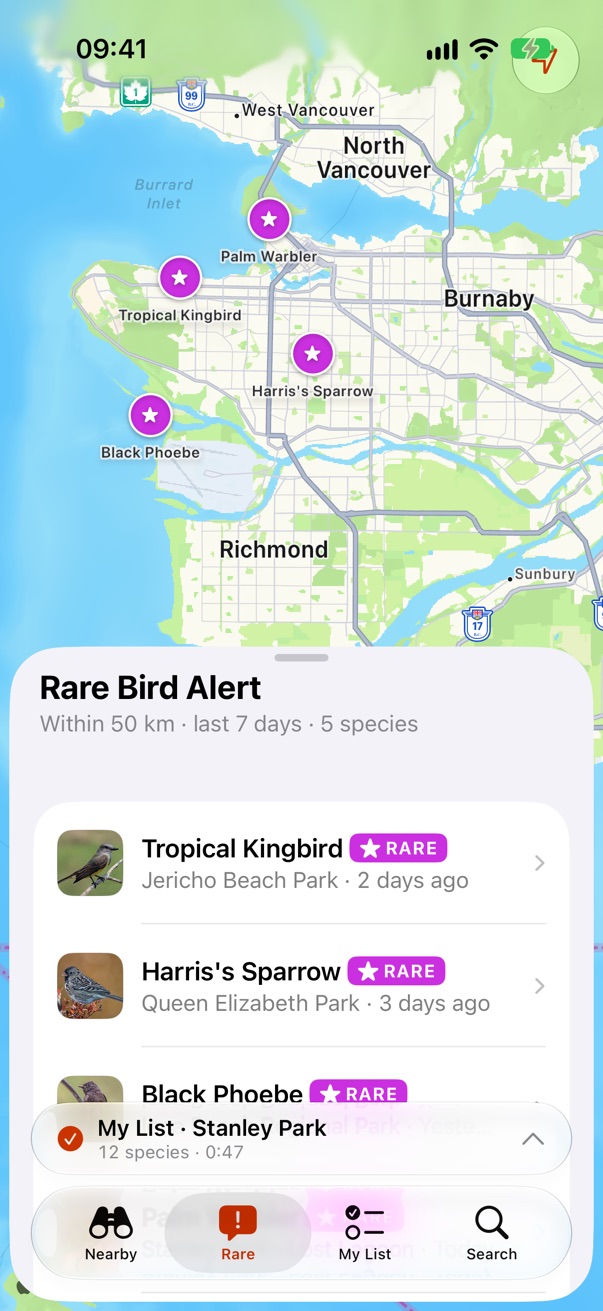
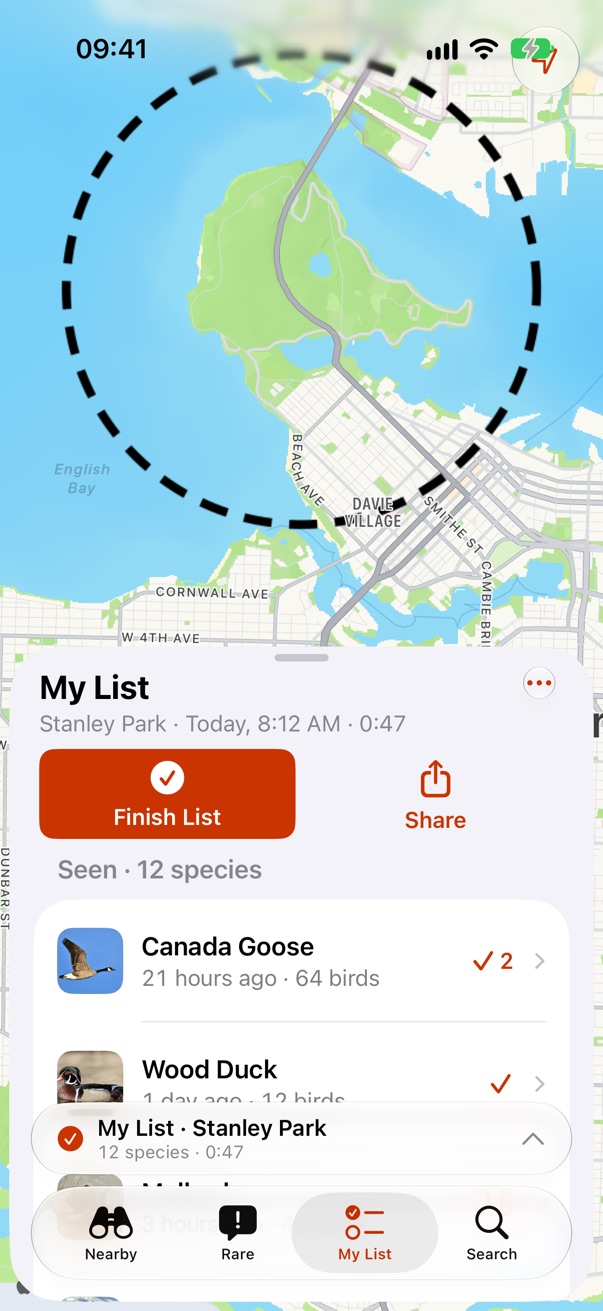
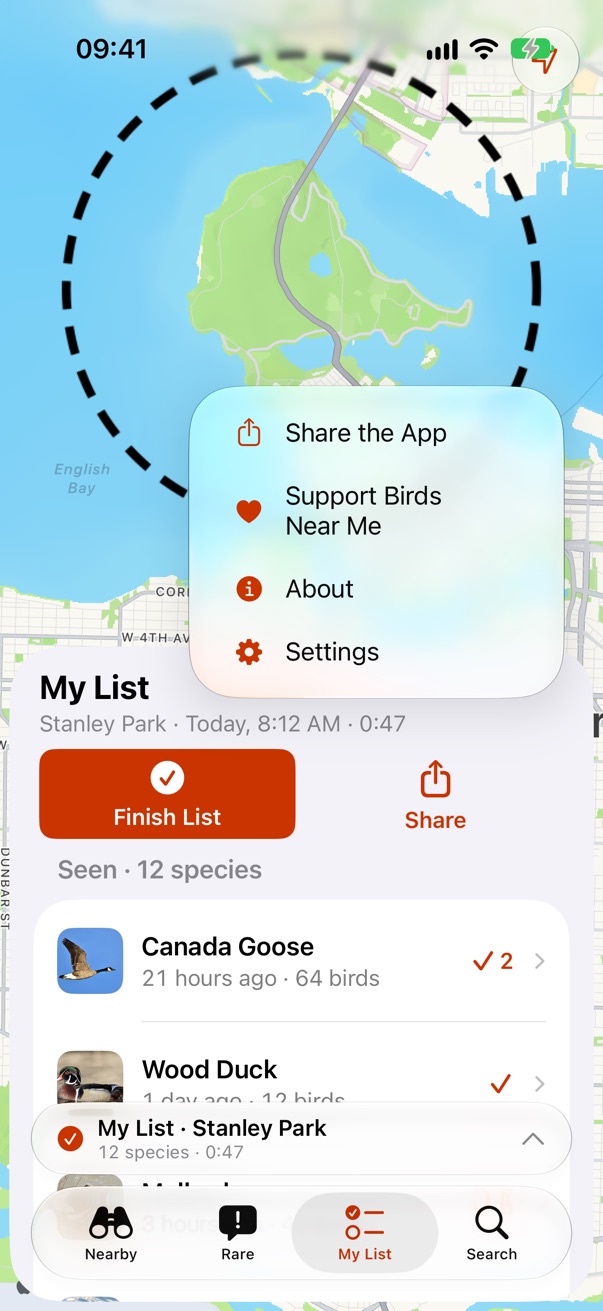
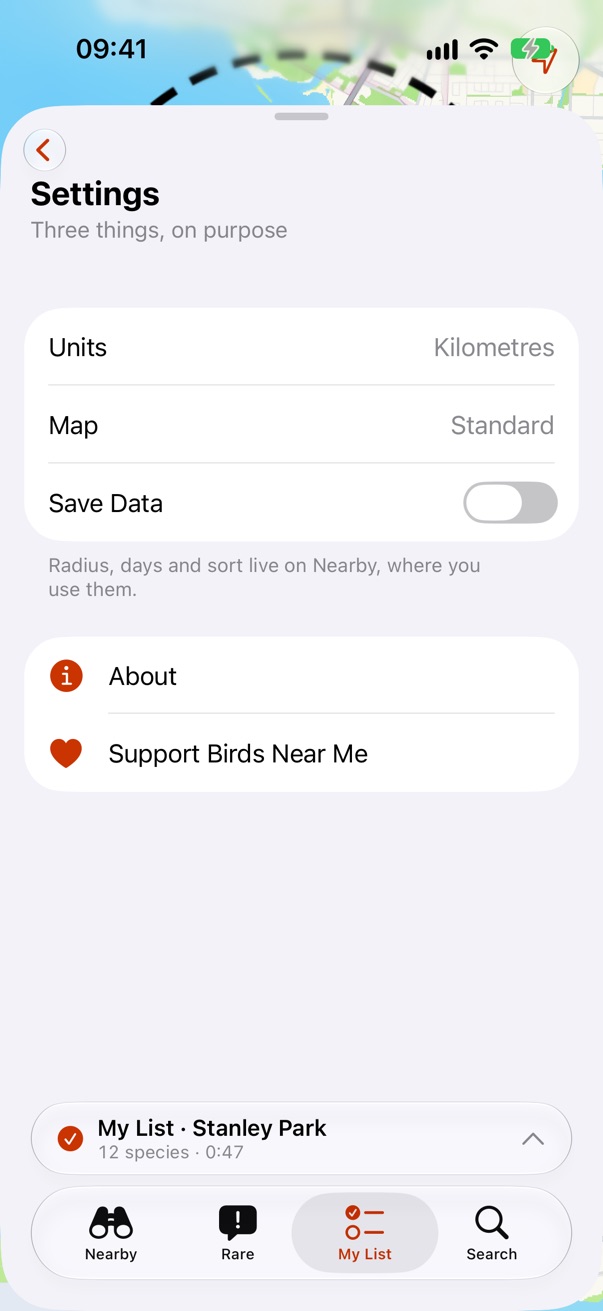
Settings, buried
Settings, About and Support live behind My List's … menu, a standard iOS menu. Settings pushes onto My List's sheet.
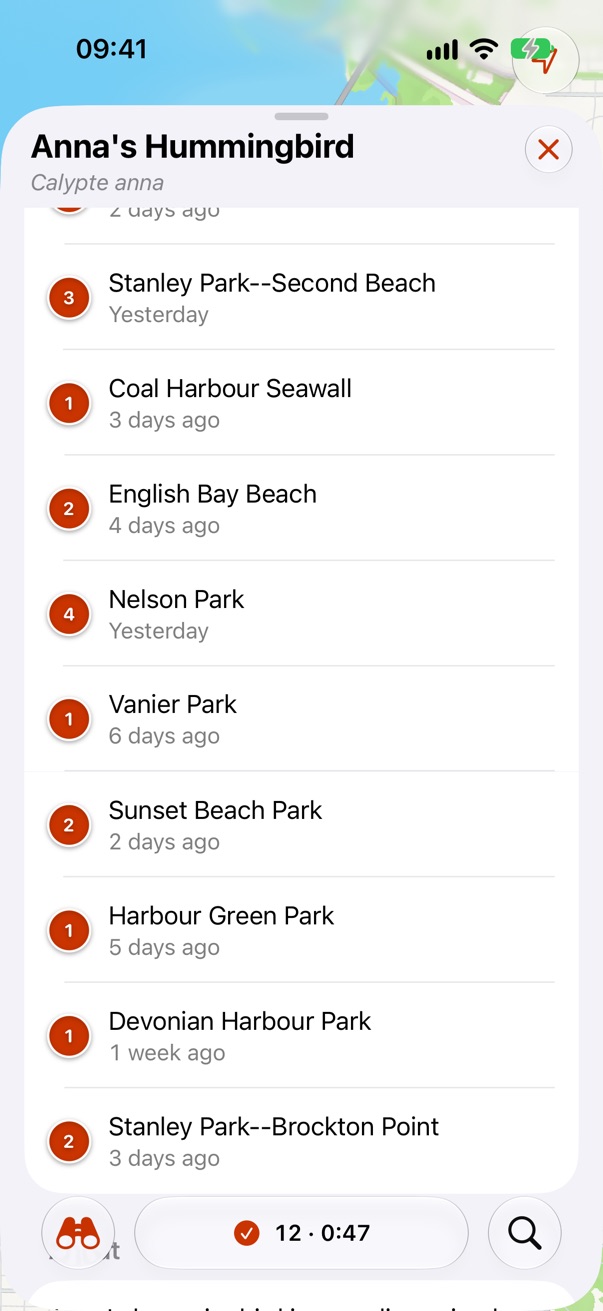
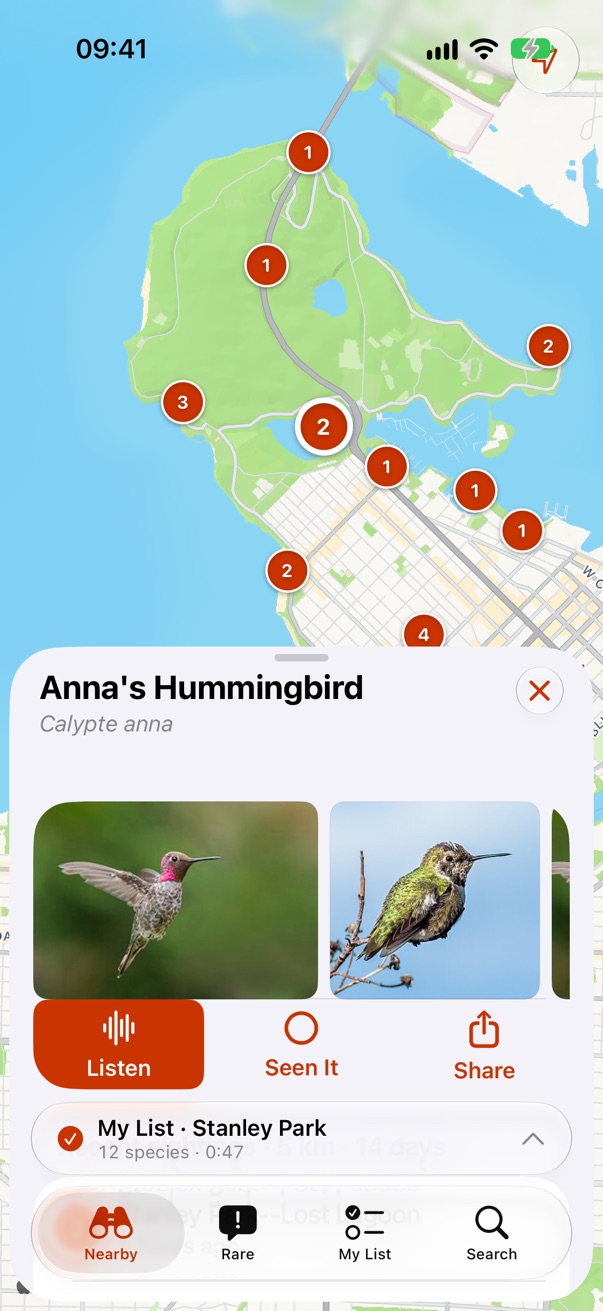
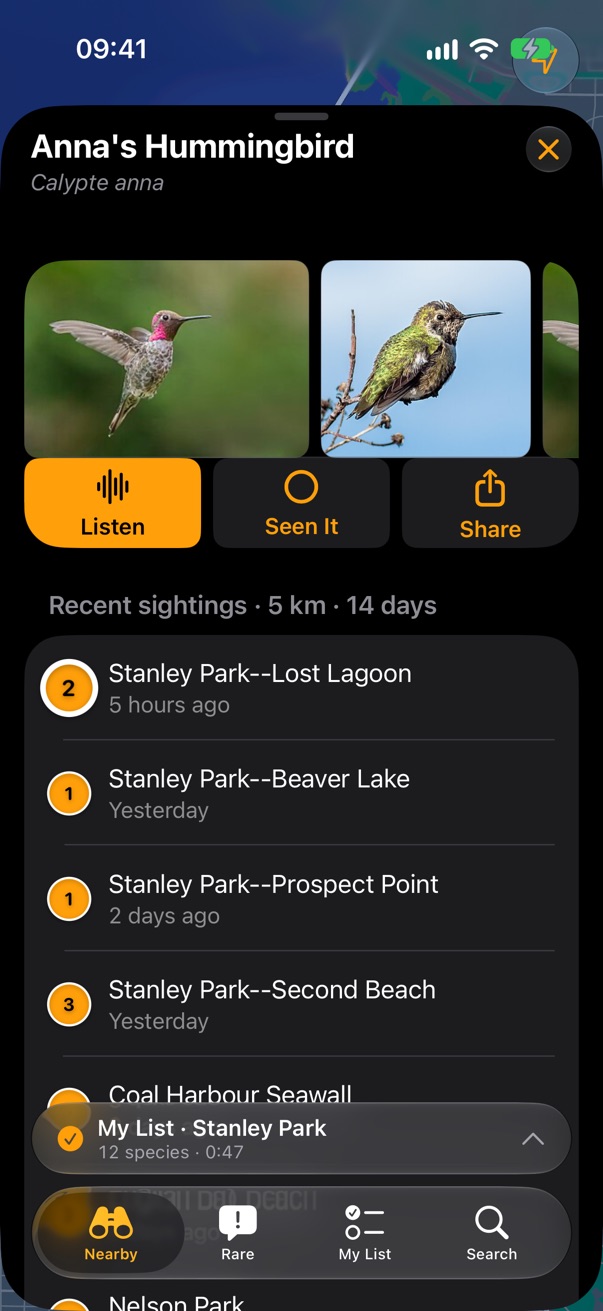
A bird
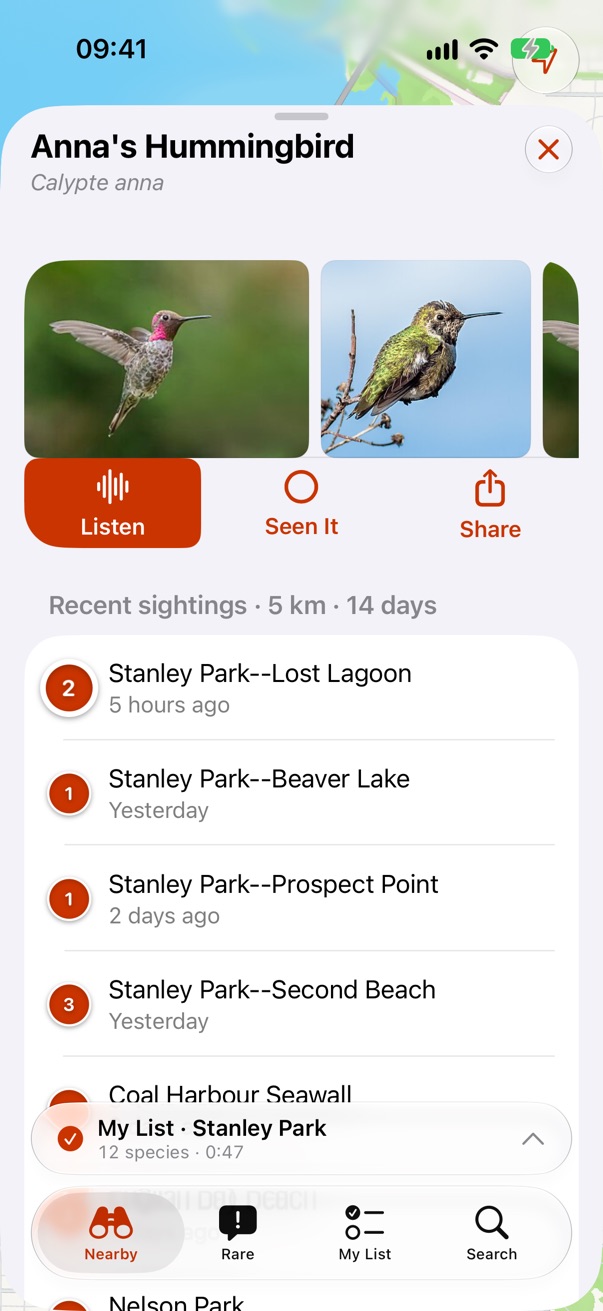
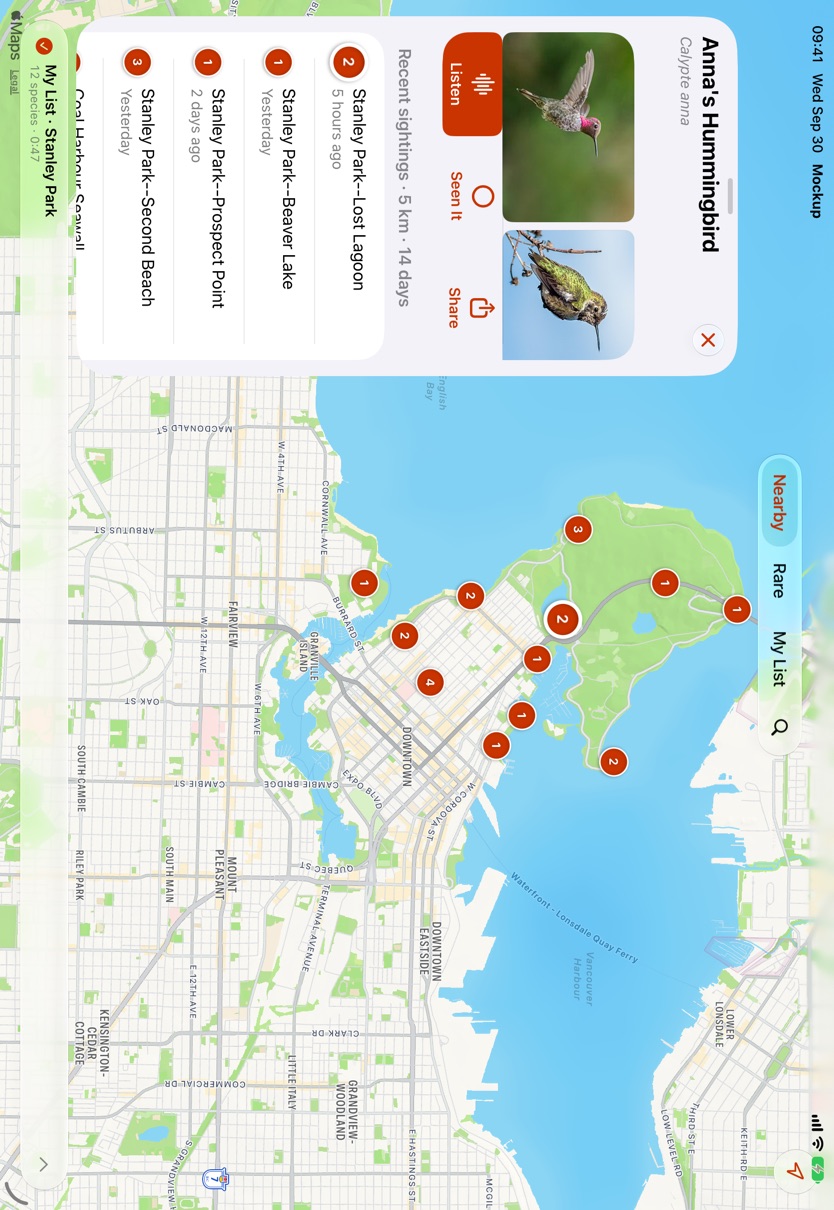
Tapping a bird pushes its sheet over whatever mode you're in, with a close button. The map shows where it was seen.
Search
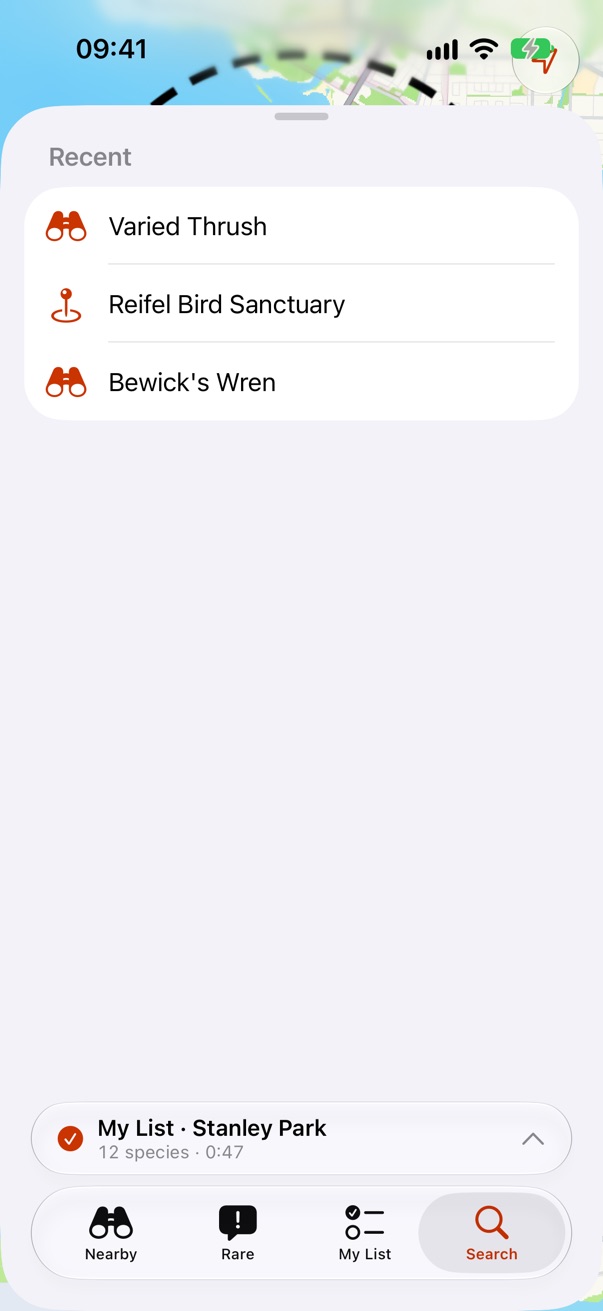
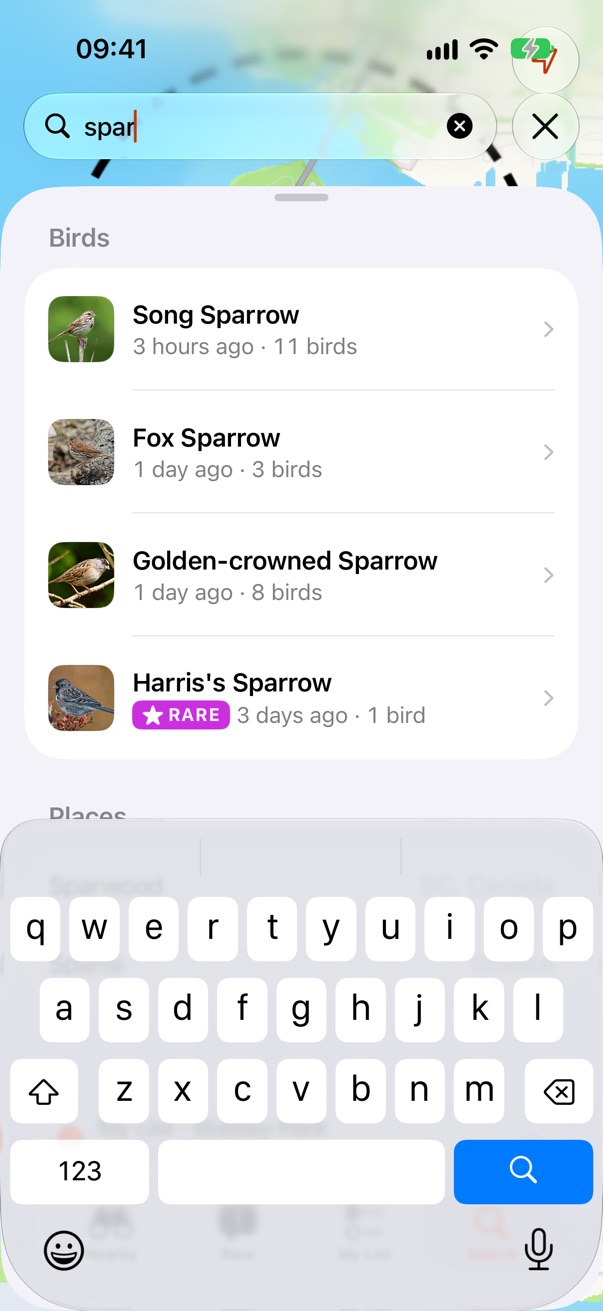
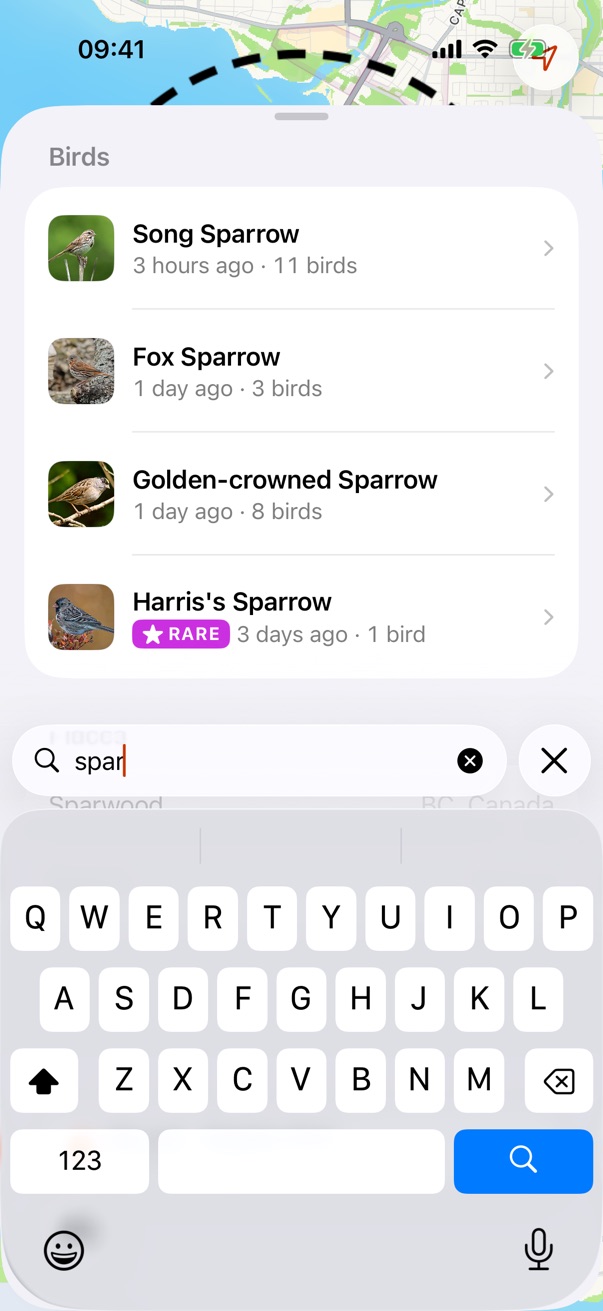
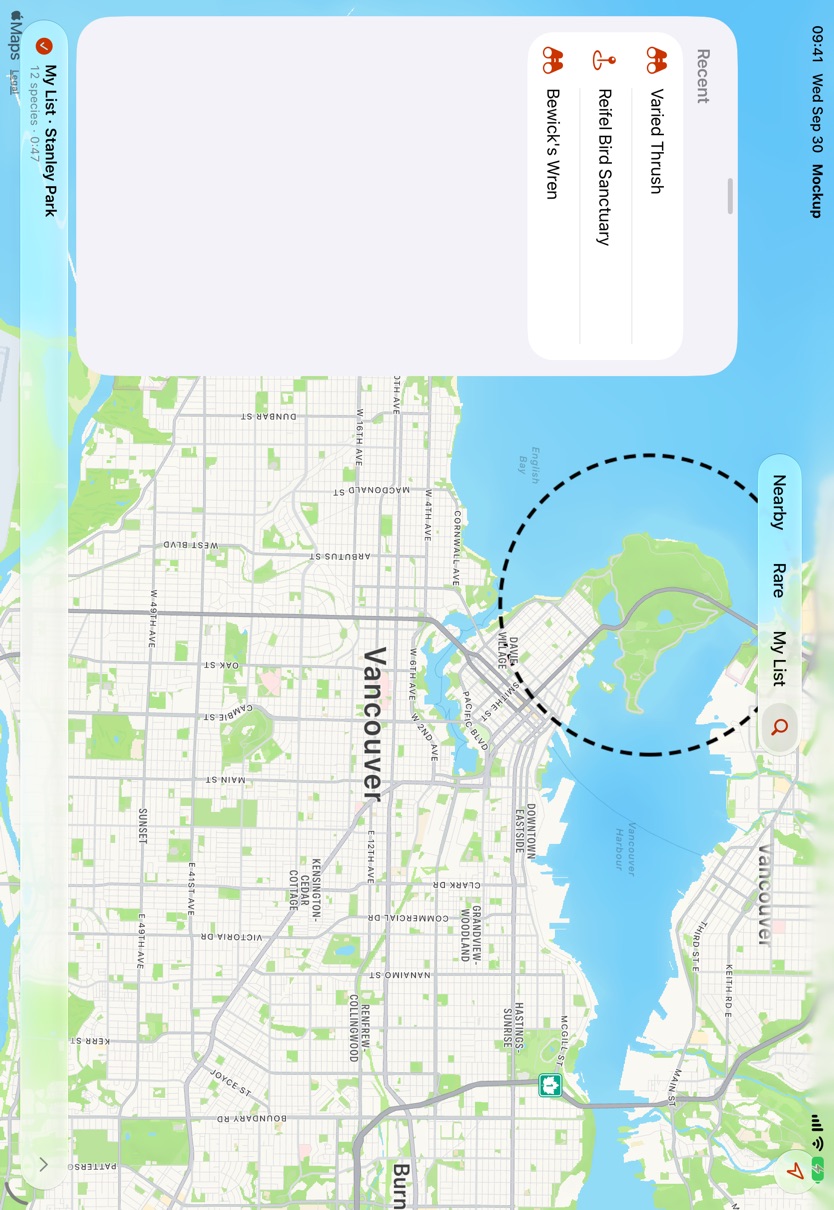
Search is the system search tab. Tapping it turns the bottom into a search field with the keyboard; results are birds and places in one list.
Dark
The same screens in dark mode, with standard orange as the tint.
iPad
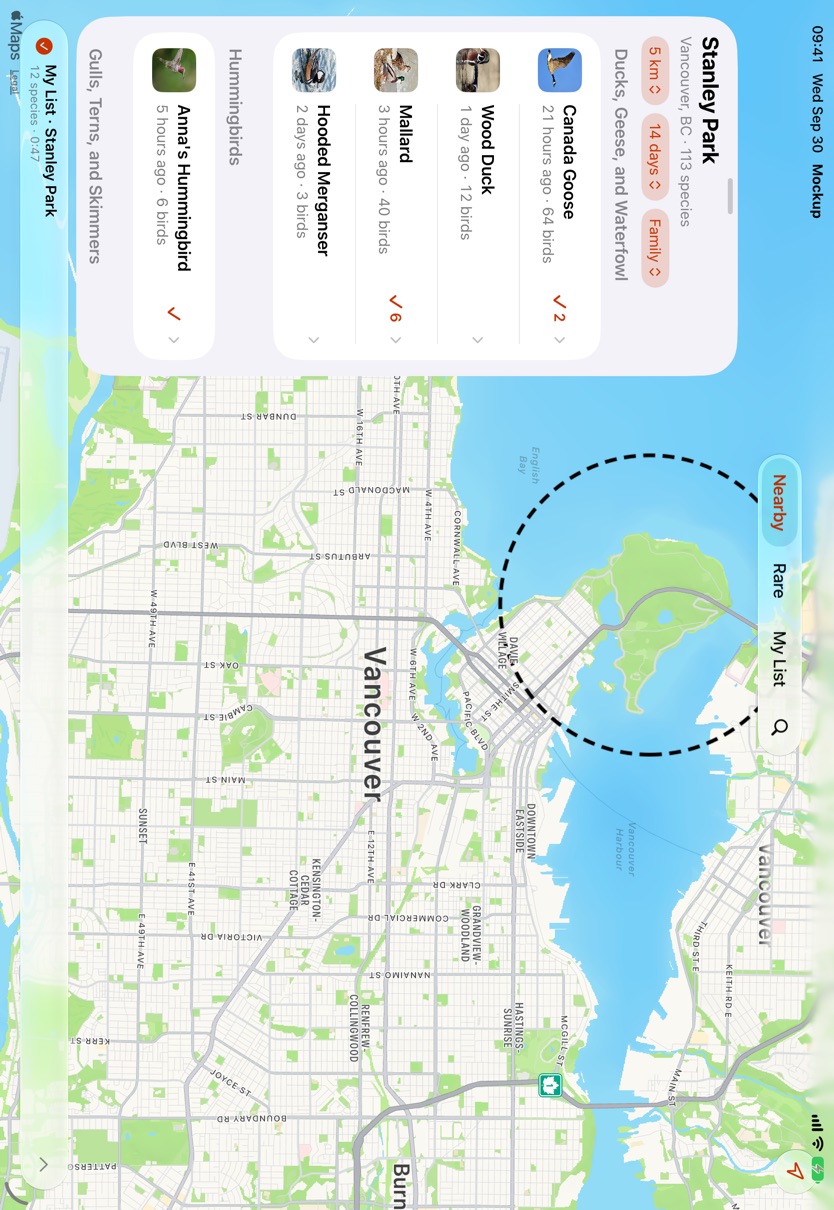
iOS moves the tab bar to the top on iPad, and our sheet becomes a column on the left. Shot in landscape.
iOS 26 and iOS 27
The app's floor is iOS 26, so here are the same states on iOS 26.5. One real difference: on iOS 26 search is its own circle at the bottom trailing edge and the bar holds just the three modes, which is the layout we asked for. On iOS 27 the search tab moves inside the bar as a fourth item, only splits off when the bar minimizes, and its field opens at the top of the screen instead of the bottom.
What's system and what's ours
- System: the tab bar and its glass, minimizing, the search tab and field, the bottom accessory, menus, lists, swipe actions, map controls.
- Ours: the sheet. The system sheet is modal, can't stack and can't become an iPad column, so the stack stays custom, as it is in the app today.
- iOS 26.1: hiding the accessory when no list is running uses
tabViewBottomAccessory(isEnabled:), which needs iOS 26.1. On 26.0 the accessory is always there. - Closing Nearby: mode sheets don't close; they drop to the smallest height. Only pushed sheets, like a bird, have a close button.
Birds Near Me 2 • Send Feedback • Birds Near Me 1 • © 2026 Gerry Shaw